A native or web app
iOS, Android, or web. Real code, a real backend, real data, running on a device you can hand to someone.
You bring one specific idea. Over twelve weeks you design it, build it with AI as your working partner, and submit it to the App Store. Every module ends with something finished. No engineering background needed.
Every week has a named deliverable, so you always know what you are producing and by when. This is the whole program, drawn out.
Fit Forged hands you one ready workout for the time and the equipment you actually have today. It was designed, built and published on the path this program teaches, in the same order, with the same tools. Every part of it below is open for you to go and check.
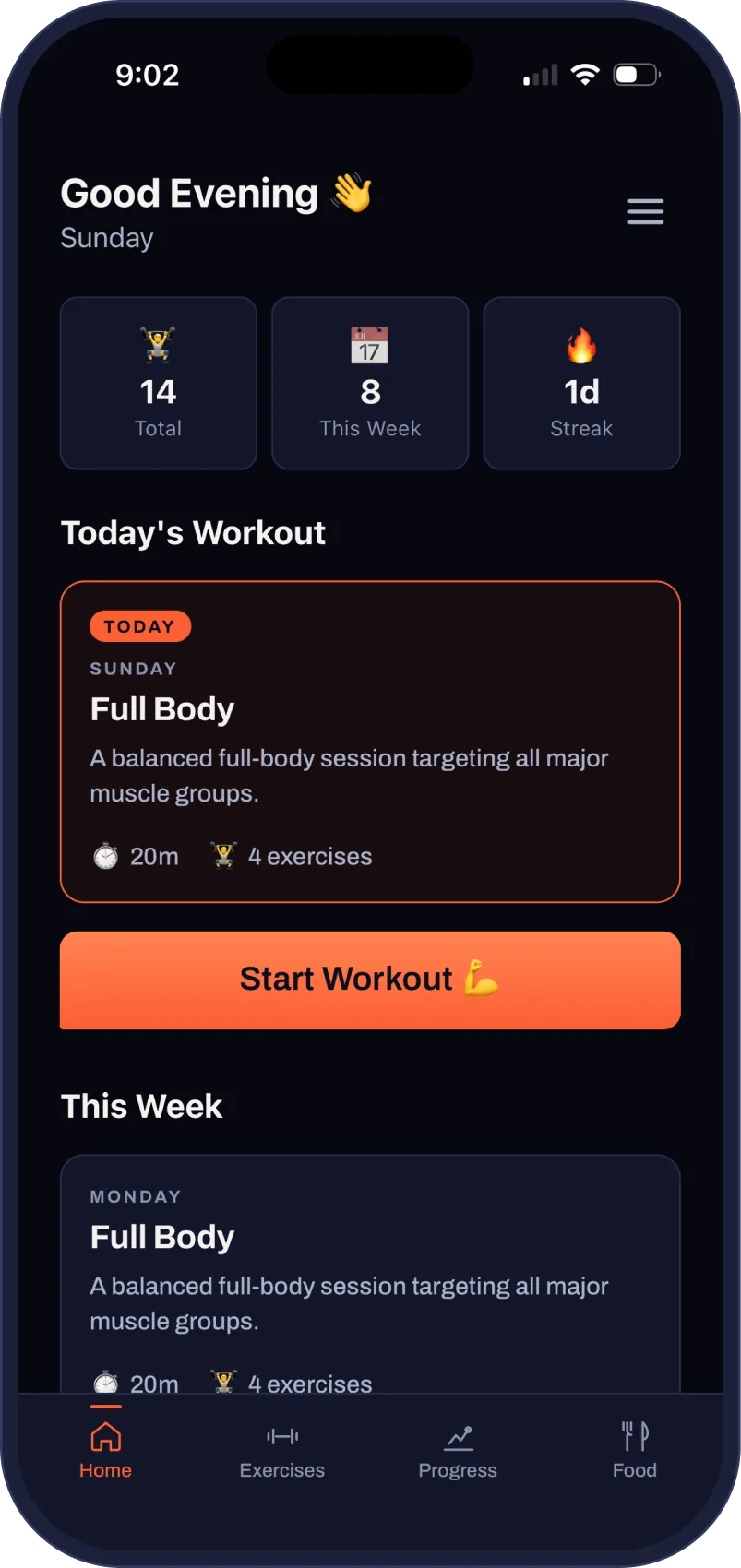
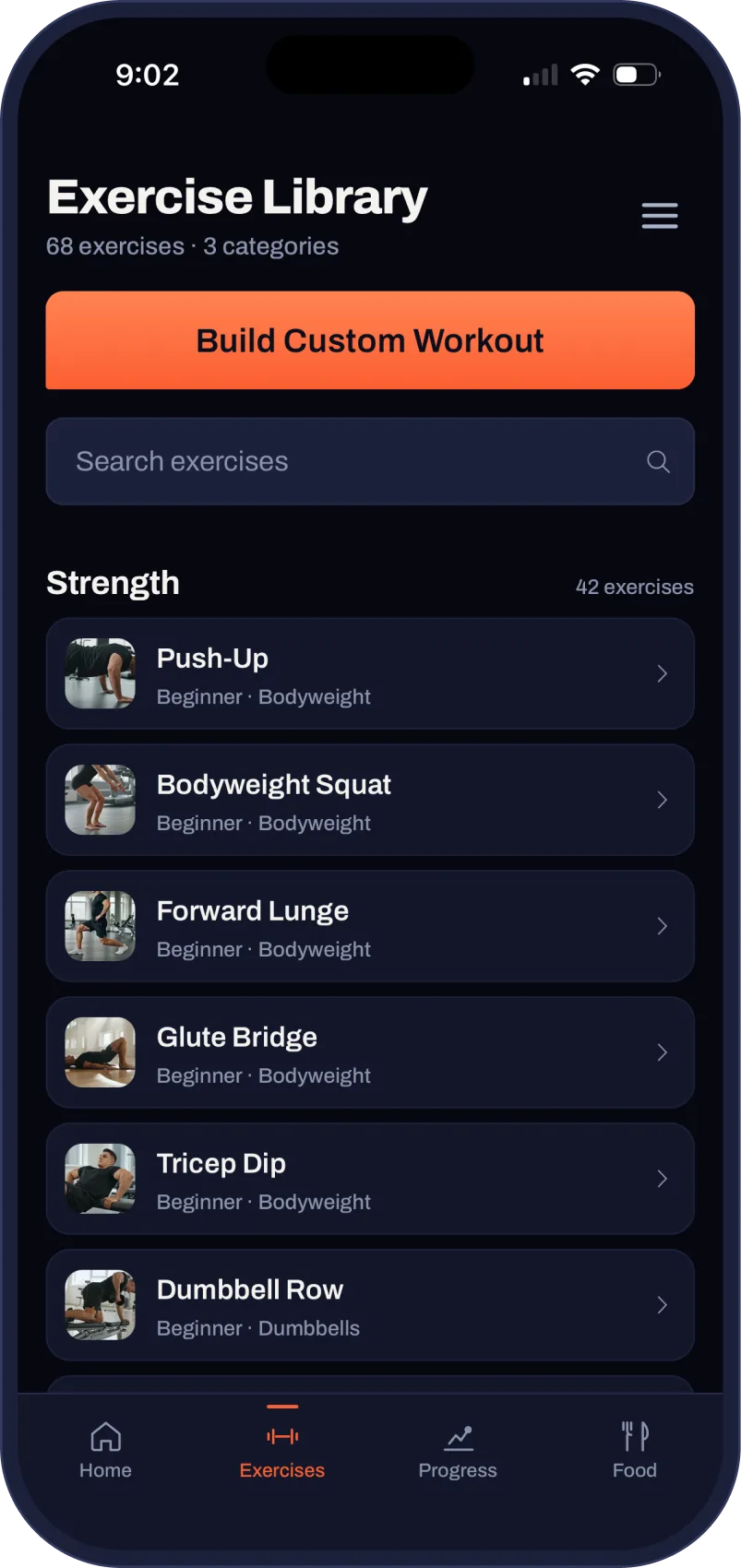
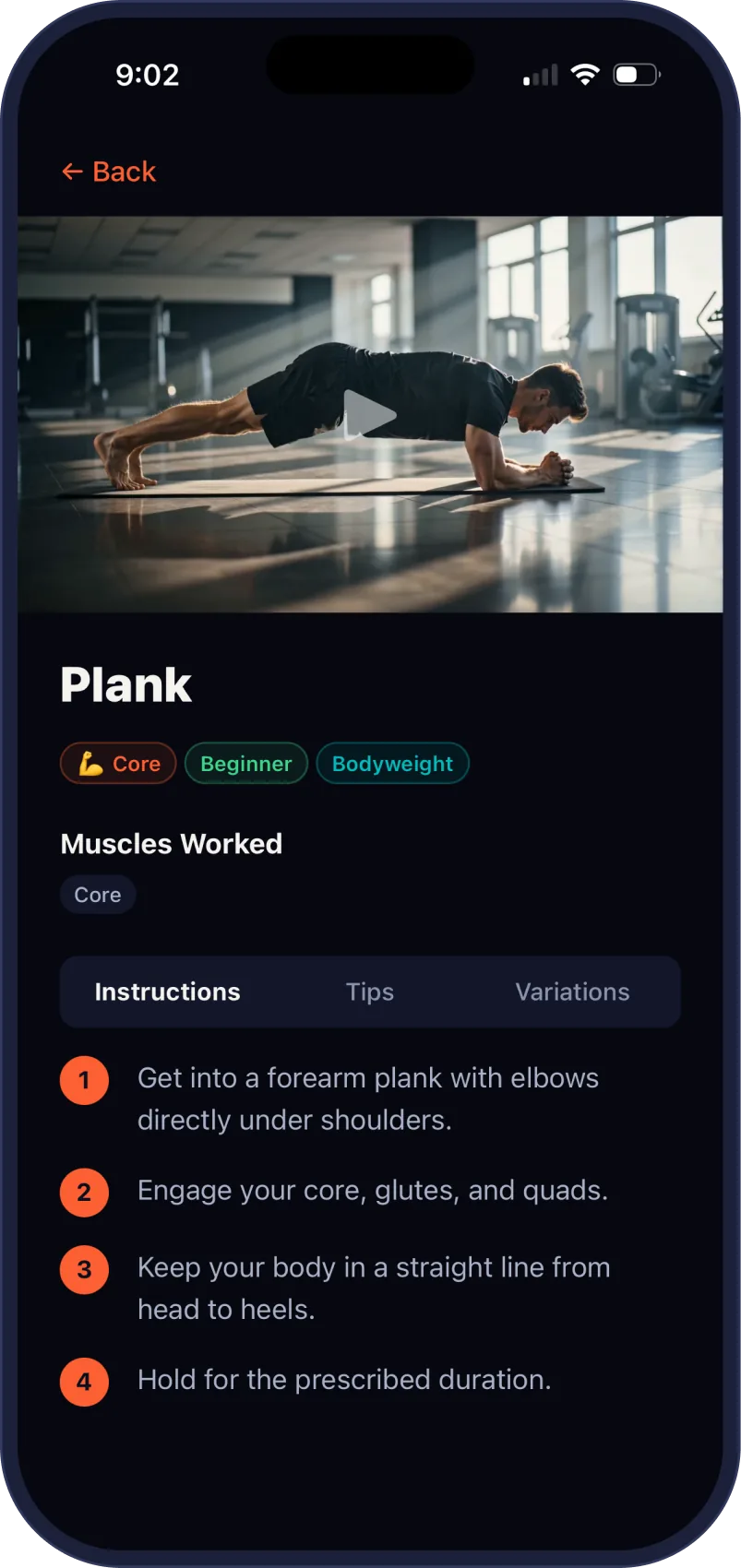
One idea, twelve weeks, four finished things. The section below is that same list, written as what you leave with.
Look at the finished productI feel like I literally elevated myself from zero to hero in just seven weeks.
Nick was fantastic. He’s incredibly knowledgeable, really helpful, and has a way of explaining things that makes everything feel much less intimidating. As a small business owner, I’ve been able to take what I learned from Nick and actually use it in my own business. I built a new website and, more recently, an internal staff app that fills a gap we’ve been struggling with for years. Being able to create something that genuinely solves a problem in our business has been pretty exciting. I honestly couldn’t be happier with what I’ve learned. Nick’s app course is worth every penny and then some. If you’re sitting on the fence wondering whether to take it, don’t overthink it. Just do it.
Four finished things, all of them yours, all of them portfolio-grade.
iOS, Android, or web. Real code, a real backend, real data, running on a device you can hand to someone.
Components, tokens and documentation in a file you can hand off to a developer or keep extending yourself.
A live site with your story, your screenshots, and a working waitlist or download link.
App Store optimization, a Product Hunt post, and a go-to-market playbook written for your product specifically.
These are the things you need in order to decide, so they belong on the page rather than in a terms modal.
Module one opens by defining the problem. That part is yours free, as a prompt you can run now, and you finish with two real documents: a written problem statement and a competitor scan for your idea.
Nick McInnis has spent about eighteen years in tech, ten of them at sea. He studied programming, then went to work on superyachts, writing code and designing the control interfaces people actually touched.
Now he is a senior UX designer in Squamish, eight years in design and five spent teaching it. He designed and wrote this program, built the platform it runs on, and teaches it himself.
Taught hands-on, in the week you need them. If a tool name here means nothing to you yet, you are exactly who the program is built for.
Your thinking partner. Idea pressure-testing, copywriting, research synthesis, and reading code back to you in plain English.
Where your screens get designed. Modules 3 to 6 live here.
AI-first coding tools. They are how someone without a development background produces a working interface.
The back end: accounts, database, file storage. Set up and deployed in module 8.
Write the app once, ship it to both iOS and Android. One codebase, two app stores.
Product visuals, App Store screenshots and marketing assets that look considered on day one.
People come to this program from very different places. Each of these pages covers it from one of them, with the questions that starting point brings.
You have an idea and no technical co-founder. AI does the design and development work alongside you.
You will not hand-write code, and the code that does get written is still yours, in your own repository.
You can already draw a screen and want to stop handing off. Or you are new and want the whole path at once.
You want the full craft, from research through to a shipped product, rather than UX on its own.
You are comparing bootcamps and want the questions that actually separate them.
You are in Vancouver or the Lower Mainland, moving into UX, and want sessions on Pacific time.
You are in Toronto or the GTA and want to know how it works in the Eastern time zone.
You are changing careers from anywhere else in the country.
If you have an idea but you are not certain it is the one worth twelve weeks, this will help you find out. Copy the prompt below, open Claude or ChatGPT in a new tab, and paste it in there. It will interview you and help you land on something you could genuinely build here. It takes about ten minutes.
The prompt suggests Wispr Flow for voice input. That link is a referral link, which costs you nothing extra and pays us a small amount. The prompt works exactly the same if you skip it.
The planning session is free, it is one to one, and it is about your idea specifically. If the program is not right for you, you will leave knowing that and knowing what to do instead.